How to Redeem Bid for Powers Fight Codes
Exact in-game steps, safety checks, and fixes when a code fails.
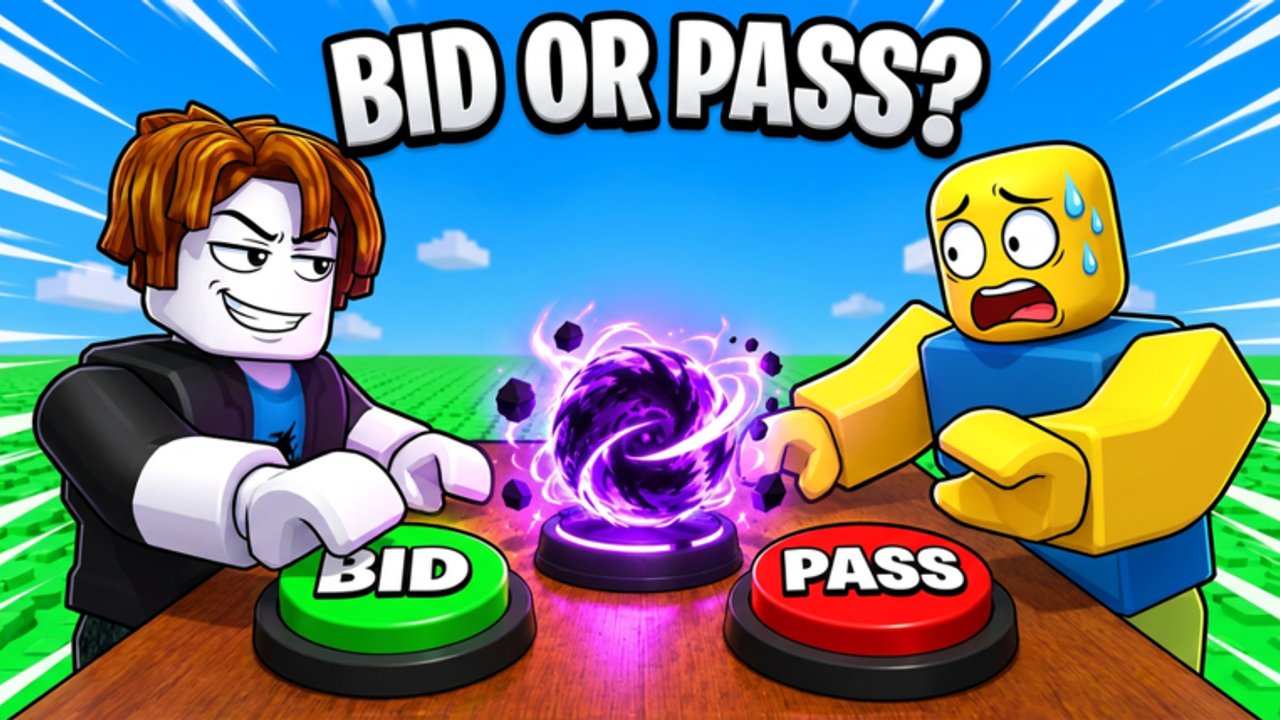
This guide shows how to redeem codes in Bid for Powers Fight the safe way: inside the Roblox experience, never on a phishing site. The game—often listed as [4 NEW POWERS] Bid for Powers & Fight!—is an action battlegrounds title from World PIECE Studio. Promo strings are uncommon as of November 2026, but when World PIECE Studio drops one, speed and accuracy matter. Use this page as your redeem checklist, then return to the Codes Hub for the live status list.
Before you redeem
Confirm a few basics so you do not burn a limited code on the wrong account:
- You are logged into the Roblox account that should receive the rewards.
- You can join Bid for Powers Fight on PC, mobile, or console through the Roblox client.
- You copied the code from a trustworthy source: World PIECE Studio group shout, official Discord, this wiki’s Codes Hub, or text shown in the game UI—not a random DM.
- You have a stable connection; mid-redeem disconnects sometimes delay inventory updates.
If the Codes Hub still shows no confirmed promo codes, skip third-party “generators.” Claim free spins and daily rewards instead—those are the dependable free path while you wait.
Step-by-step: redeem inside the game
Roblox battlegrounds games usually place Codes behind a main menu button, shop panel, or gift icon. Exact labels can move after patches, so scan the full HUD after you spawn.
- Launch Bid for Powers Fight from the official Roblox game page and wait until you fully load into a server (lobby or arena hub).
- Open the main menu or shop UI. Look for buttons labeled Codes, Rewards, Gift, Twitter, or similar. On mobile, check the top corners and any hamburger-style menu.
- Open the Codes field. You should see a text box plus a Redeem / Submit / Claim button.
- Paste the code exactly. Prefer paste over retyping. Watch for leading spaces, trailing spaces, and letter-number lookalikes (O vs 0, I vs 1).
- Tap Redeem and wait for a success toast, reward popup, or inventory refresh.
- Verify the reward. Check spins, currency, items, or power-related inventory depending on what the announcement promised.
- Leave the Codes UI and continue bidding or fighting—rewards that grant spins are most valuable when you immediately put them into the power loop.
If your build of the game has no Codes button yet, that matches the current “no confirmed public promos” status. Keep claiming dailies, watch the group shout, and re-check after title banner changes such as the Four New Powers update wave.
Console and mobile notes
Bid for Powers Fight runs wherever Roblox does: PC, mobile, and console via the Roblox app. Redemption is account-bound, not device-bound.
- Mobile: Rotate to landscape if the Codes field is clipped; dismiss on-screen joysticks if they block the text box.
- Console: Use the on-screen keyboard carefully; consider redeeming once on PC/mobile if typing long strings is painful, then return to console with rewards already applied.
- Multiple devices: Do not redeem the same single-use code on two accounts. One Roblox account equals one claim in almost every modern experience.
Troubleshooting failed codes
| Message / symptom | Likely cause | What to try |
|---|---|---|
| Invalid / wrong code | Typo, expired string, or fake list | Re-copy from the Codes Hub; check expiry |
| Already redeemed | You claimed it earlier on this account | Nothing—codes are usually one per account |
| Expired | Promo window closed | Remove it from your notes; wait for the next drop |
| No Codes button | Feature not shipped or UI renamed | Claim dailies; watch World PIECE Studio channels |
| Success but no item | UI lag or wrong inventory tab | Rejoin the server; check spins and currency panels |
| Kicked while redeeming | Server hop or network blip | Rejoin and confirm inventory before redeeming again |
Never “fix” a failed code by downloading a script, executor, or “code unlocker.” Those paths risk bans and are covered honestly on the Scripts Hub.
Safety rules (read these)
- Official redemption happens in-game or through instructions the creators publish themselves.
- Nobody from “wiki support,” “Roblox admin,” or “World PIECE staff” needs your password in a DM.
- Ignore sites that ask you to log in with Roblox to “check code status.”
- Do not trade Robux for a screenshot of a code; public promos are free by design.
- If a stranger offers a private server link plus a code, treat it as a phishing attempt until proven otherwise.
After a successful redeem: spend rewards wisely
Codes often grant spins, currency, or boosters that feed the core loop: bid for powers → refine a fighting style → queue into 1v1, 2v2, Party, or Free For All. Practical follow-ups:
- Convert spin rewards before you idle in the lobby so you know which abilities you unlocked.
- In Free For All, remember portal hopping and the +1 armor per kill rule—extra durability from a lucky power plus armor stacks can snowball a session.
- Use structured modes (1v1 / 2v2 / Party) to test a new ability without the chaos of a full FFA pile-in.
- Read Getting Started if you are still learning menus, then browse the Guides Hub for deeper systems pages as they publish.
- Compare new powers against community rankings on the Tier List Hub and roster notes on the Players Hub.
Staying ready for the next drop
World PIECE Studio updated the experience around 2026-11-20 after a 2026-10-13 release, with visits already in the multi-million range when researched. Update days and milestone banners are the most likely windows for celebratory codes. Habits that help:
- Join the World PIECE Studio group (~80k members at research time) and skim shouts after patches.
- Recheck the Codes Hub whenever the Roblox title text changes.
- Skim the Updates Hub so you know whether a patch was cosmetics-only or systems-deep.
- Keep this redeem guide bookmarked so you do not hunt for the Codes button under pressure.
When a verified code appears, redeem it with the steps above, confirm the reward landed, then jump straight back into bidding and fights. For official destinations and community links, use the Links Hub.
Frequently Asked Questions
Quick answers for Bid for Powers Fight players.
Where is the Codes button in Bid for Powers Fight?
Look in the main menu, shop, rewards, or gift-style panels after you load into a server. Labels can move after updates. If no Codes button exists yet, claim daily rewards and free spins instead and watch World PIECE Studio announcements.
Why does my code say invalid?
Common causes are typos, leading/trailing spaces, an expired promo, or a fake code from social media. Paste again from a trusted source and check the Codes Hub for confirmation.
Can I redeem the same code on two accounts?
Almost never. Roblox experience codes are typically limited to one redeem per account. Use the account you actually play on.
Do I need a script to redeem codes faster?
No. Manual redeem is enough and far safer. Auto-redeem or auto-farm tools can violate Roblox rules and risk your account—see the Scripts Hub for warnings.
What should I do if there are no codes today?
Claim free spins and daily rewards, practice bidding and combat, and recheck after major updates. The Codes Hub stays updated when a promo is actually confirmed.