Bid for Powers Fight Guides
From first bid to Free For All armor stacks - every walkthrough in one place.
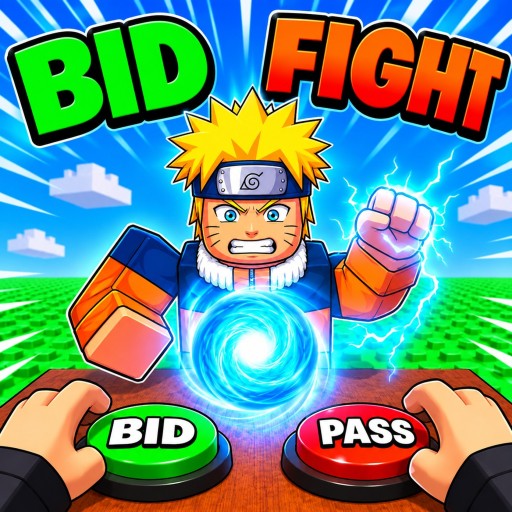
Welcome to the Guides Hub for Bid for Powers Fight (also listed as Bid for Powers & Fight!) by World PIECE Studio. This Roblox action battlegrounds experience mixes auction-style power bidding with custom fighting styles across 1v1, 2v2, Party, and Free For All. Use this hub as your map: every walkthrough below is written for real matches, not filler tips.
If you just installed the experience, start with the Getting Started guide. It covers the first-hour checklist - claim free spins and daily rewards, place careful early bids, then take your first fights without emptying your bank. When you are ready to think ahead of the auction timer, move into How to Bid for high/low bid timing and resource management.
Core guide map
Onboarding and daily loop
- Getting Started - first session flow, spins, early bids, first arena entries
- Daily Rewards - why claiming free spins and dailies before bidding keeps your economy healthy
- Controls - PC and mobile punch, ability, and movement patterns typical of Roblox battlegrounds
Bidding and fighting
- How to Bid - auction strategy, when to bid high or low, and how to protect currency for later rounds
- Combat Modes - 1v1 duels, 2v2 coordination, Party chaos, and Free For All portal tips with +1 armor per kill stacking
Cross-link these pages while you play. A strong bid means little if you pick the wrong mode; a strong mode pick fails if you never claim free spins before the auction board fills up.
How these guides fit the meta
Bid for Powers Fight rewards players who treat the lobby economy and the arena as one system. Powers you win through bidding define your custom fighting style. Modes change how those powers express themselves: tight 1v1s punish greedy overbids, while Free For All rewards armor stacking and survival paths through the portal. Party and 2v2 ask you to think about partner synergy instead of pure solo burst.
That is why this hub also points outside the Guides category. Check the Tier List Hub and the Powers Tier List when you need archetype rankings (burst, control, sustain, mobility, armor synergy). Redeem gifts on the Codes Hub whenever World PIECE Studio drops promos. Read community etiquette on the Players Hub so 1v1s and FFA lobbies stay competitive instead of toxic.
Suggested reading order
- Claim rewards and learn the UI via Daily Rewards and Controls.
- Complete the Getting Started checklist through your first clean fight.
- Study How to Bid before you chase expensive abilities.
- Specialize with Combat Modes once you know which queues you enjoy.
- Refine loadouts with the Powers Tier List and return here when patches shift the auction meta.
Writing and update philosophy
Every guide on this wiki aims for practical depth: checklists, decision rules, and links to sibling pages. Patch notes can change ability numbers, UI labels, and reward calendars. When something in-game disagrees with a paragraph, trust the live client and report the mismatch so we can refresh the article. For studio news and wiki navigation, see About This Wiki.
Bookmark this Guides Hub. New walkthroughs will appear here first, and featured guides surface on the home page when a mode or bidding change matters most.
Frequently Asked Questions
Quick answers for Bid for Powers Fight players.
Which Bid for Powers Fight guide should I read first?
Start with Getting Started for the first-hour checklist, then Daily Rewards and How to Bid before deep combat-mode practice.
Do these guides cover Free For All armor stacking?
Yes. Combat Modes explains the FFA portal, +1 armor per kill stacking, and how it differs from 1v1, 2v2, and Party.
Where do codes and power tiers live?
Promo codes are on the Codes Hub. Archetype rankings live under the Tier List Hub and the Powers Tier List page.
Are controls the same on mobile and PC?
Inputs map differently. Read the Controls guide and always confirm bindings in the in-game settings menu after updates.